How to Receive Webhooks Instantly — Before You Deploy Any Code
You can receive webhooks instantly — before you deploy any code — because modern platforms like webhookbox.net mint a working webhook URL for you on the spot. Paste it into your partner platform (a payment provider, GitHub, any service that sends webhooks) and deliveries start arriving immediately: stored, inspectable, searchable.
The part most people miss is what happens later. That URL is permanent — so when your real server is ready, you don't reconfigure the partner at all. You add a redirect from the inbox to your server, resend everything it already captured, and the integration goes live without the sender ever noticing a change.
The chicken-and-egg of webhook integrations
Every webhook integration starts with the same blocker: the partner platform asks for a URL, and you don't have one yet. The traditional answer is to build first — write an endpoint, deploy it, expose it publicly — all before you have seen a single real payload. You end up coding against documentation instead of against what the platform actually sends, and every mistake costs another deploy.
A hosted webhook inbox inverts that order: you get the URL first, watch the real traffic, and only then write code. Here's the whole flow.
Step 1 — Get your URL (you actually get two)
- Open webhookbox.net. A unique inbox is created for you instantly — no signup, no credit card.
- You get two URLs for the same endpoint: one for Development and one for Production. Use the dev URL for experiments and the production URL in the partner's live settings — test noise never mixes with real traffic.
- Copy the URL and paste it into the platform you want to integrate. That's it.
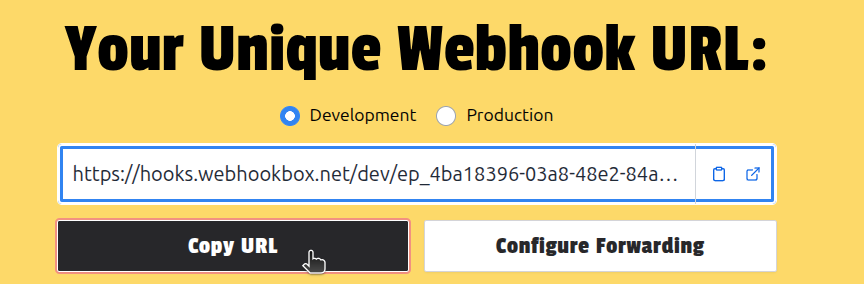
How long does it live? An anonymous inbox lasts 7 days (or 500 requests). Create a free account and the same URL becomes permanent — nothing to reconfigure on the partner's side. See plans and limits.
Step 2 — Inspect before you write any code
From this moment, everything the partner sends is captured. Trigger a test event on their side and open the delivery in the panel: full headers, the JSON payload as a navigable tree, query parameters, signature headers, source metadata. This is the moment you learn what the integration really looks like — which event types arrive, how the payload is shaped, what the signature scheme is — before a single line of server code exists.
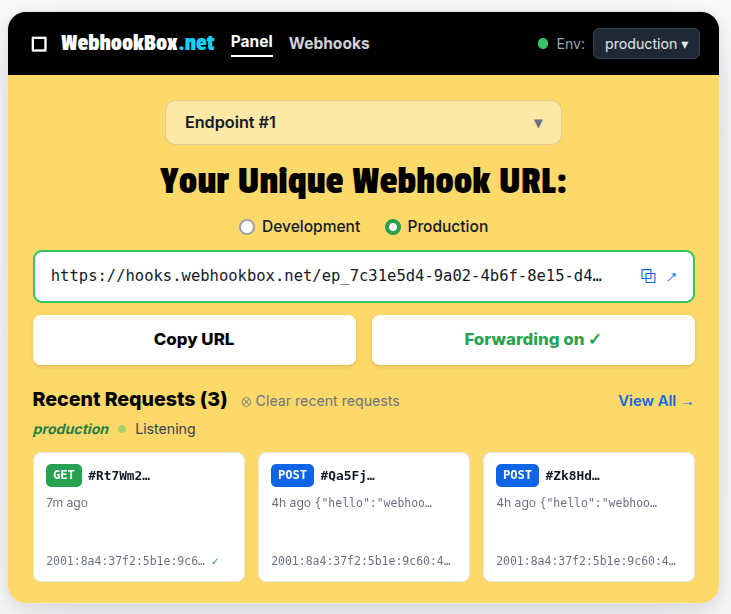
By the time you start coding, you are coding against real payloads you have already seen — not against your best interpretation of the docs.
Your server is ready? Don't touch the integration
Say you now build a Node server to process the events. Normally this is where you would go back to the partner platform and swap the URL. With a permanent inbox you don't change anything in the integration:
- Add a permanent redirect. In the panel, point your endpoint's forwarding at your server. From then on every delivery is captured and forwarded automatically — the partner keeps sending to the same URL it was configured with on day one.
- Resend the backlog. And the webhooks that arrived before your server existed? They are all stored. Batch-resend them to the new destination and your server processes the history as if it had been online from the start.
Going live becomes a switch you flip on your side. No coordination with the partner, no propagation window, no "please resend those events" email.
Why you should keep the inbox in production
Here is the second idea, and it's the one that pays off for years: once the integration works, don't remove the inbox. Keep it in front of your server as a permanent intermediary.
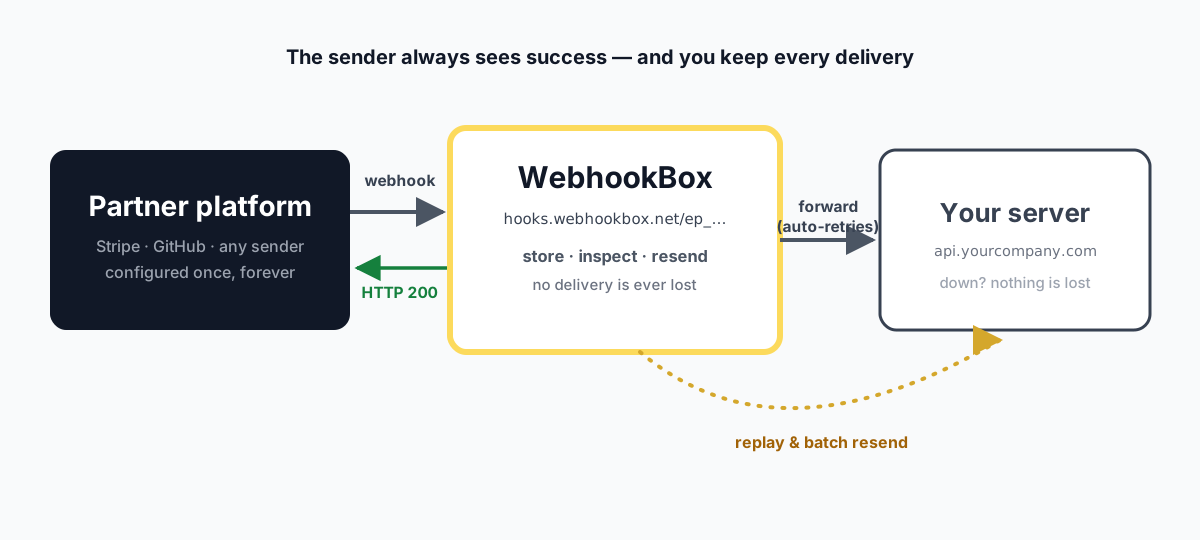
The architecture buys you three guarantees:
- The partner always sees success. Every delivery hits WebhookBox and gets an HTTP 200 back. On the sender's dashboard the integration is green — even while your server is being deployed, restarted or debugged.
- Nothing is ever lost. If your server fails to process a forwarded delivery, the stored copy is still there. Forwarding retries with backoff, and you can resend on demand after fixing the bug. Compare that with going direct: platforms like Stripe retry failed deliveries for a limited window, and GitHub only keeps deliveries available for redelivery for a limited time — after that, the event is gone.
- You debug without asking anyone. Inspect the exact payload that caused the bug, fix your handler, resend that same delivery — all from your side. No support ticket to the partner, no waiting for the next occurrence of a rare event.
In other words: the inbox that unblocked your first minute of integration becomes, in production, the layer that makes webhook failures a non-event. You started with it because it was instant; you keep it because it puts you in control of redelivery instead of your partner.
Want to see the same flow applied to a concrete platform, field by field? Read how to create a GitHub App (and fill the Webhook URL).
FAQ
Do I need a server to receive webhooks?
Not to start. A hosted webhook inbox like WebhookBox gives you a working URL instantly: paste it into the partner platform and every delivery is received, stored and inspectable. You only need your own server when you want to run code in response to events — and by then you can forward or resend everything the inbox already captured.
Why do I get two URLs (development and production)?
They are two environments of the same endpoint. Use the development URL while you experiment and the production URL in the partner’s live configuration, so test noise never mixes with real traffic — and you can inspect each stream separately.
What happens to the webhooks received before my server existed?
They are all stored in your inbox. When your server goes live, resend them in batch to the new destination: your server processes the backlog as if it had been there since day one, and nothing needs to be requested from the partner.
Does the sender know there is an intermediary in front of my server?
No. The partner delivers to your WebhookBox URL, receives HTTP 200 and marks the delivery as successful — from its point of view, the integration is simply healthy. What happens after that (forwarding, retries, resends to your server) is entirely under your control.
What if my server is down when a webhook arrives?
The delivery is not lost. WebhookBox already accepted and stored it, the forwarder retries with backoff, and you can resend manually after the incident — without asking the partner to redeliver anything. Most platforms only retry failed deliveries for a limited time, so having the stored copy is what saves you.